Membership application
People and households
Your organization runs on data.
Make it work harder.
Fundraising, memberships, events, and communications in one system, with workflows and Benevolate Intelligence handling the follow-up.
Illustration of the Benevolate admin dashboard: a module menu, membership overview, weekly revenue, a welcome card, events, reminders, pastoral care, and an AI suggestion recommending a retention check-in, and a note that a donation workflow just sent a thank-you email.

Arlington Museum of Art
One museum.
Four+ systems replaced.
Visitor check-in, membership, giving, and reporting used to live in separate tools. They now run as one operation inside Benevolate.
50%
faster visitor check-in
12+
staff hours saved every week
17,000
sheets of paper eliminated
100%
of reporting moved into Benevolate
You shouldn’t need six systems to understand one organization.
CRM, events, email, forms, accounting, payments, and the spreadsheet that tries to hold them together. The institution is already connected. The software usually isn’t.
One person, split across six tools. One household. One history.
- People and relationships.Keep the household and its history together.
- Payments and activity.Connect gifts, registrations, and follow-up.
- Reporting.Use the records your team already maintains.
Workflows + Benevolate Intelligence
Less follow-up for your staff to remember
Workflows send the emails and notifications you configure each time a gift, event registration or volunteer signup comes in. Intelligence answers questions about your records and drafts emails, forms or workflows that your staff review before anything runs.
See Benevolate AIWorkflow
- WhenDonation Received
- ThenSend EmailA thank-you you write, with the donor's first name and gift amount filled in.
- AndSend NotificationA portal notification to the staff members you choose.
Benevolate Intelligence
Which households gave last year but haven't given this year?
The answer comes from your own giving records. From there you can ask for a draft reminder email, and a staff member reviews it before it goes out.
Both work from the same recordsMembersDonationsEventsFormsPayments
Features
These are some of our many features.
Six of the areas organizations use every day, not the whole platform. Open any one to see how it works.
Members
A household is a household across membership, giving, school, events, and notes. Relationships stay attached to the people they belong to.
Payments
Every gift hits a fund, a GL, and a household, then posts to QuickBooks as a journal. Receipts, deposits, and allocations stay on the same record.
Events
Events, tickets, RSVPs, and volunteers sit on the same records as members and donors. Attendance is not a separate universe.
Communications
Email and SMS use the same households, tags, and history already in Benevolate. The list is the organization, not a copy of it.
Organization
Forms, schools, cemetery, membership, and other institution-specific work belong in the same system as the rest of the operation, not in a side tool.
Dashboards
Ask the same households, gifts, and events you already run. Benevolate builds a live board pack: scorecards, charts, lists, the way the product does.
Voices
What organizations say after they switch.
Chris Hightower
President & CEO · Arlington Museum of Art
We were using too many systems to perform our day to day work. Having all of our potential donors in one spot has made a huge difference in how we think about philanthropy.
John Perry
Congregation Keneseth Israel

I appreciate Ben's knowledge and abilities. Moreover, his patience dealing with those of us that while we embrace new forms of technology or applications, we don't absorb quite as quickly.
Deborah Spencer
Dominique Cares

The staff has timely responses and is very helpful. They offer creative ways for efficacy. Everyone is so patient and very hands on. I have truly enjoyed working with the team.
Edna Kimbrell
Arlington Museum of Art
It's definitely worth switching to Benevolate. Other systems are good, but Benevolate is great.
Gary Schwartz
Arlington Museum of Art
Benevolate has consolidated multiple functions that usually requires various pieces of software, which saves time with maintaining our database. We no longer have to update multiple systems.
Atlas · migration
Bring your history. Validate it before launch.
Move your historical records into the modules your team will use. Review duplicate records, field mappings, and imported history as part of your implementation plan.
See the migration and implementation plan →
- IngestRead the files as they are.
- ReviewReview duplicate records.
- MapCheck fields and relationships.
- ValidateCheck imported history before launch.
How we build
Software shaped by the organizations using it.
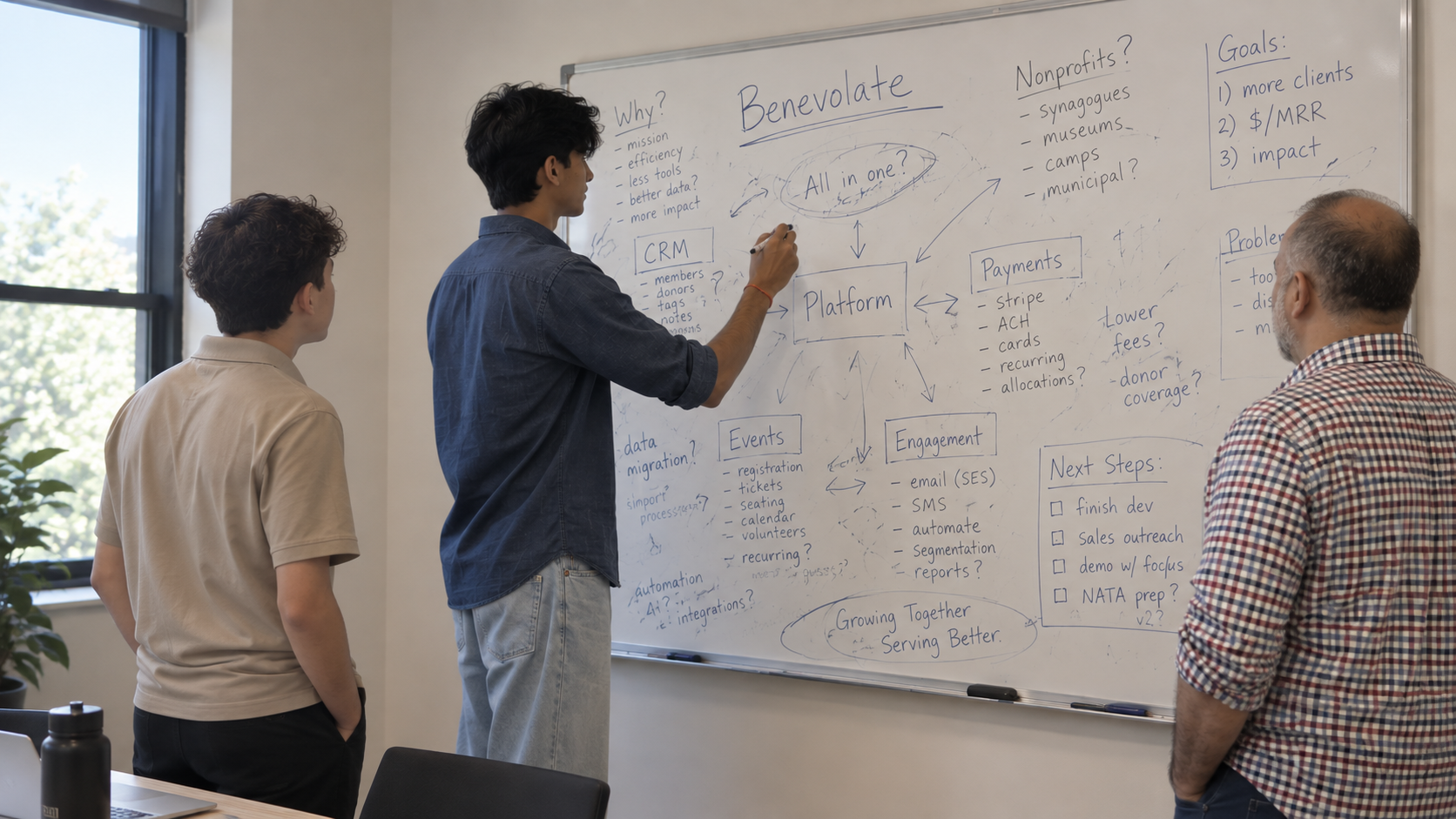
Work directly with a team that understands your workflows.
- 01ConversationStart with the actual workflow, not a feature request in isolation.
- 02WhiteboardMap who touches the record, when money moves, what has to be true.
- 03PrototypePut a working version in front of the people who will use it.
- 04TestTry it against real cases before it becomes everyone else’s software.
- 05ProductionShip it into the same system the organization already runs on.
See your organization working in Benevolate.
Walk through your people, payments, and programs with our team. Bring the workflows you want to connect and the questions you need answered.